Every application in one workspace
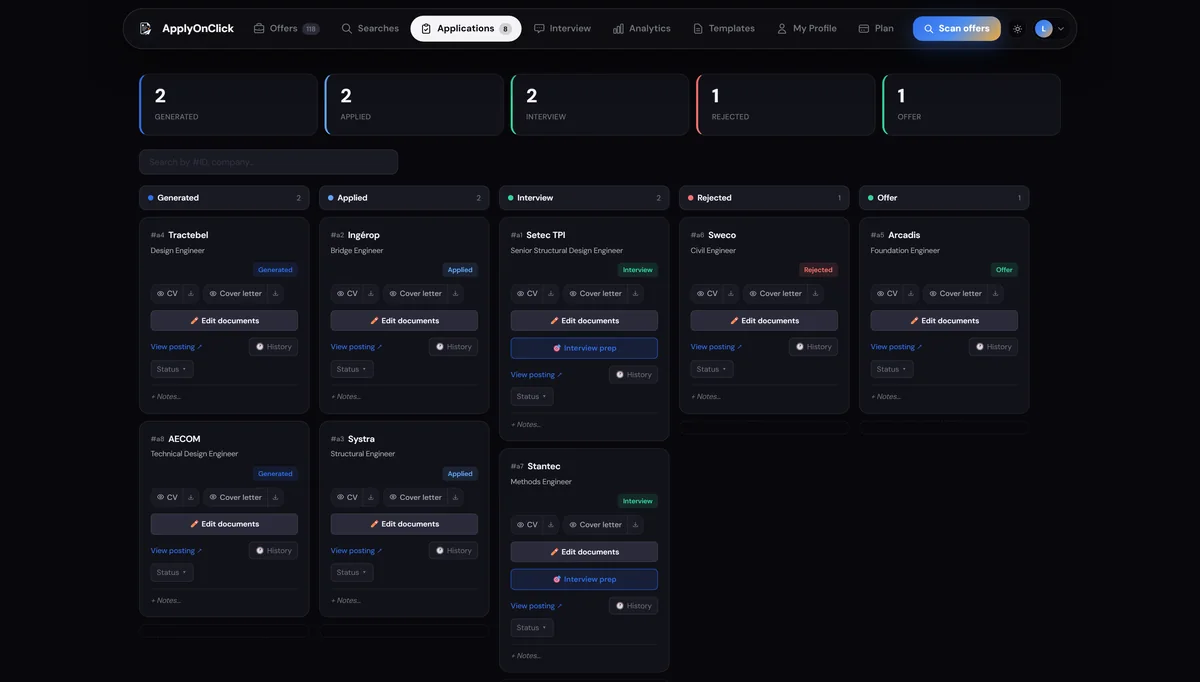
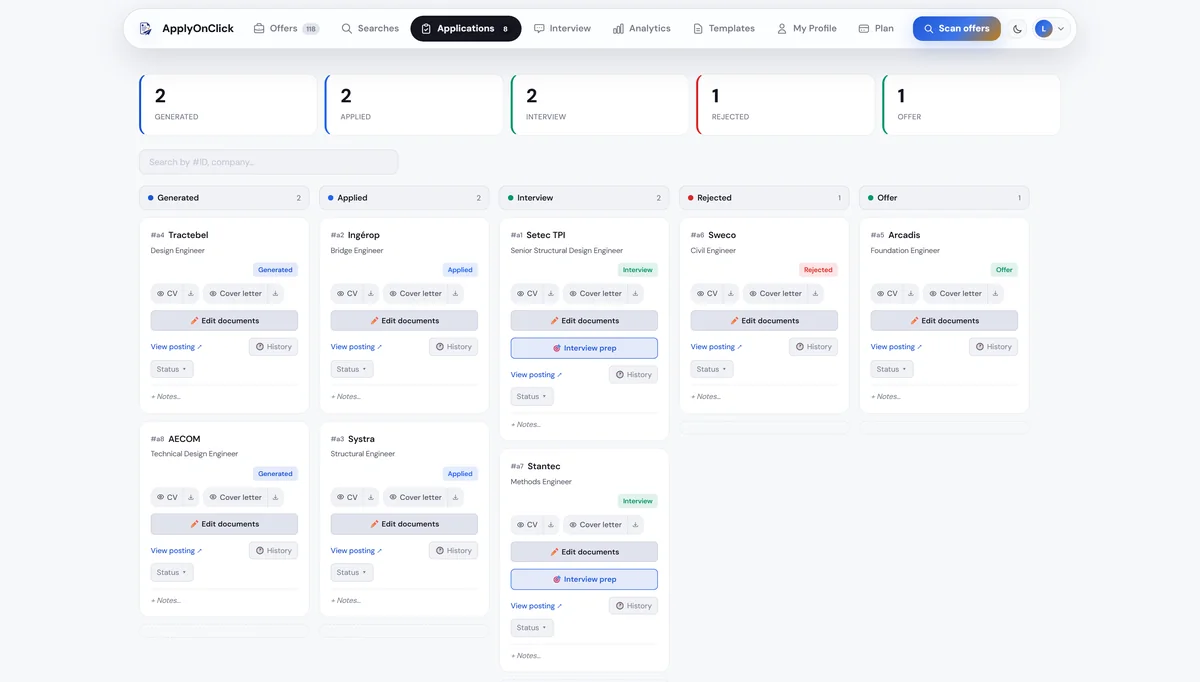
No more job-board tabs, scattered CV files, spreadsheet and interview notes. Each application moves through one clear board.
One workspace, not ten tools
Offers, CVs, letters, status and interview notes in one place. You see at a glance where each application stands.
Clear stages
Move each application from "to apply" to "applied", "interview", then "offer" or "rejected": your pipeline at a glance.
Documents and history attached
The generated CV and letter stay linked to each application, with history, ready to reopen or regenerate.
What application tracking includes
- A Kanban board: to apply → applied → interview → offer / rejected
- Generated CV and letter attached to each application
- Status, notes and history per application
- Analytics: interview rate, conversion funnel, offers received
- Track your credit usage
- Saved searches, re-runnable in one click
- Search by company or application ID
- Regenerate and edit documents from the card
- Interview prep brief available per application
- Fully private, isolated per account
FAQ
Does the Kanban replace my spreadsheet?
Yes. All your applications and their documents are centralized, with no re-entry.
Can I organize several searches?
Yes. Saved searches and separate tracking let you run several leads in parallel.
Are my applications private?
Yes. Each account is fully isolated: only you can see your data.
Can I see my success rate?
Yes. A stats view shows your conversion funnel, interview rate and remaining credits.
Is there a job application tracker template?
Yes: our guide to tracking job applications lists the columns to copy into Google Sheets or Excel. ApplyOnClick's tracker removes the typing, since each application is added when you apply.
Guides on this topic
Explore more
Your next job might start right here.
Create your profile in 2 minutes and discover your first jobs.
Get started with ApplyOnClick